

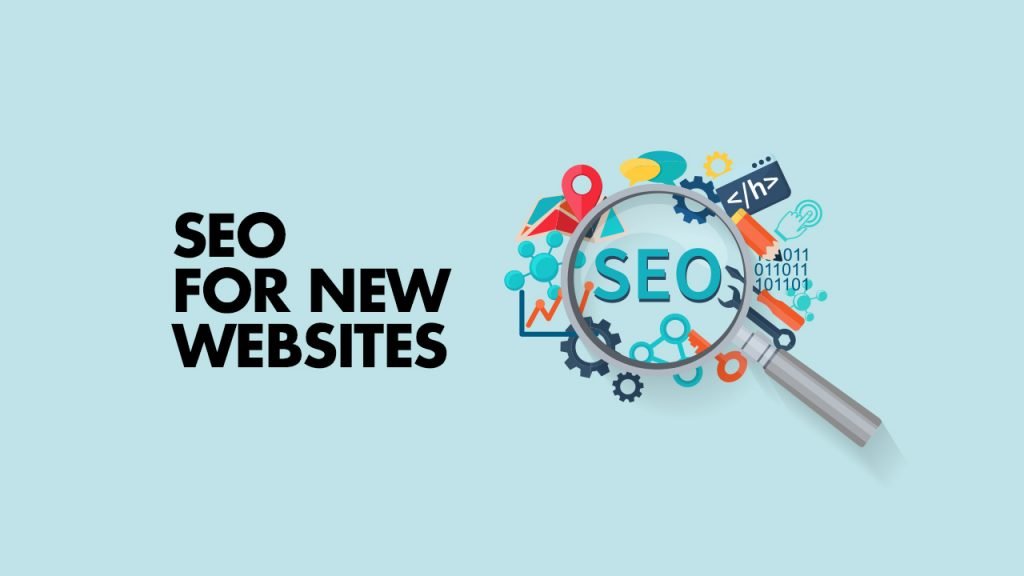
Launching a new website is exciting, but simply putting a website online does not guarantee that people will find it through Google.
A new website usually has little or no search history, few backlinks, limited authority, and potentially no indexed pages. Without a proper SEO strategy, even a professionally designed website can struggle to attract organic traffic.
The good news is that SEO can be built into a website from the beginning.
Instead of waiting months after launch to fix SEO problems, businesses can prepare their website architecture, content, technical setup, and search strategy before the site goes live.
In this guide, we’ll explain what businesses should do before and after launching a new website to build a strong foundation for long-term Google visibility.
Why SEO Should Start Before Your Website Launch
One of the biggest SEO mistakes businesses make is waiting until their website is finished before thinking about search engines.
By that point, important decisions may already have been made.
For example:
- Website structure has already been created
- URLs may be difficult to change
- Important pages may be missing
- Content may not target search intent
- Images may be unnecessarily large
- Internal linking may be weak
- Tracking may not be configured
- Developers may have used temporary URLs
- Search engines may not have clear access to the site
Planning SEO before launch makes it easier to avoid these problems.
Your website design and SEO strategy should work together from the beginning.
1. Define Your Main SEO Goals
Before building pages, decide what you want the website to accomplish.
Do you want to generate:
- Online sales?
- Contact form submissions?
- Phone calls?
- Consultation requests?
- Local customers?
- Bookings?
- Product purchases?
Your SEO strategy should support these goals.
For example, a service business might want to rank for searches related to its main services and locations.
An online store may focus on product and category searches.
A local business may prioritize searches containing its city or service area.
Clear goals make keyword research and website structure much easier.
2. Perform Keyword Research Before Building Pages
Keyword research should happen before you finalize the website structure.
Create a list of the services, products, questions, and problems your potential customers search for.
For example, a web design company might target topics such as:
- website design services
- web design company
- responsive web design
- business website design
- ecommerce website design
An SEO agency could target:
- SEO services
- SEO agency
- local SEO services
- technical SEO
- SEO audit
- link building services
The goal is not to place every keyword on one page.
Instead, group related keywords according to search intent and assign them to appropriate pages.
3. Create a Logical Website Structure
A new website should have a clear hierarchy.
A basic structure could look like:
Homepage
→ SEO Services
→ Local SEO
→ Technical SEO
→ Link Building
→ Web Design
→ PPC Advertising
→ Contact
Supporting blog content can then connect to the relevant service pages.
A logical structure helps visitors navigate the website and makes it easier for search engines to discover and understand your content.
Google recommends creating a logical site structure and using descriptive links so users and search engines can understand the relationships between pages.
4. Create Important Pages Before Launch
A new website should not launch with only a homepage and contact page if the business offers multiple services.
Create dedicated pages for your most important services.
For example:
- SEO Services
- Local SEO
- Technical SEO
- Web Design
- PPC Advertising
- Social Media Marketing
- Link Building
Each page should explain:
- What the service is
- Who it is for
- What is included
- The benefits
- How the process works
- Common questions
- Why customers should consider your business
- How to get started
Dedicated service pages also give you opportunities to target specific search queries.
5. Optimize Page Titles and Headings
Every important page should have a clear title that describes its primary topic.
For example:
SEO Services for Businesses | SEO Marketing House
is more descriptive than:
Welcome to Our Website
Your main heading should also clearly communicate what the page offers.
Avoid creating vague headings simply because they sound creative.
Visitors should immediately understand what the page is about.
6. Write Content for People First
SEO content should be useful to the person reading it.
Don’t create pages simply to insert keywords.
Instead, answer the questions your potential customers actually have.
For a web design page, visitors may want to know:
- How much does a website cost?
- How long does development take?
- Is the website mobile-friendly?
- Can I update it myself?
- Is SEO included?
- Do you provide maintenance?
For an SEO service page, they may want to know:
- What does SEO include?
- How long does SEO take?
- What happens during an SEO campaign?
- How is progress measured?
- What type of businesses do you work with?
Answering these questions can make your pages more useful and can help potential customers make decisions.
7. Make the Website Mobile-Friendly
A large percentage of web traffic comes from mobile devices.
Your new website should therefore be easy to use on smartphones and tablets.
Check:
- Text size
- Navigation
- Buttons
- Forms
- Images
- Menus
- Page spacing
- Horizontal scrolling
A page that looks excellent on desktop but is difficult to use on mobile can create a poor experience for visitors.
Test important pages on multiple screen sizes before launch.
8. Improve Website Speed
Website performance is another important part of a successful website.
Large images, unnecessary scripts, excessive plugins, poorly optimized themes, and inefficient code can all affect loading performance.
Before launch:
- Compress images
- Use modern image formats where appropriate
- Remove unnecessary plugins
- Minimize unnecessary scripts
- Use caching
- Test important pages
- Monitor Core Web Vitals
Google provides PageSpeed Insights as a tool for analyzing the performance of individual pages.
A faster website can also create a better user experience, particularly for visitors using mobile connections.
9. Set Up Google Search Console
Google Search Console should be one of the first tools you configure for a new website.
It can help you monitor:
- Search performance
- Search queries
- Impressions
- Clicks
- Indexing
- Sitemap information
- Search-related issues
Once the website is ready, submit your sitemap through Search Console.
This doesn’t guarantee immediate indexing, but it gives Google a clear way to discover your site’s URLs.
10. Create and Submit an XML Sitemap
An XML sitemap provides search engines with information about the URLs you want them to discover.
For a new website, make sure the sitemap contains your important canonical URLs.
Avoid filling the sitemap with unnecessary URLs such as:
- Duplicate pages
- Test pages
- Unwanted parameters
- Thin pages
- Redirected URLs
- Pages that should not appear in search
Your sitemap should reflect the actual structure of your website.
11. Check Robots.txt and Indexing Settings
One small technical mistake can prevent search engines from accessing important pages.
Before launch, check:
- Robots.txt
- Meta robots directives
- Noindex settings
- Canonical tags
- HTTP status codes
- Internal links
This is especially important when a website is developed on a staging environment.
A developer may temporarily block search engines while building the website.
Those restrictions need to be removed when the production website launches.
12. Create Strong Internal Links
Internal links connect related pages on your website.
For example, a blog article about keyword research could link to your SEO services page.
An article about website speed could link to your web design services.
An article about Google Ads could link to your PPC service page.
This helps users discover relevant information and creates a clearer relationship between pages.
Use descriptive anchor text rather than generic phrases such as:
Click here
A more useful link might say:
technical SEO services
when that accurately describes the destination page.
13. Optimize Images
Images can improve a website’s appearance and help explain products and services.
However, poorly optimized images can make pages unnecessarily large.
Before uploading images:
- Resize them appropriately
- Compress them
- Use suitable formats
- Give important images descriptive filenames
- Add useful alt text where appropriate
Alt text should describe the image when it provides meaningful information.
Don’t use alt text as a place to insert large lists of keywords.
14. Set Up Analytics and Conversion Tracking
SEO is not only about traffic.
You need to know whether organic visitors are becoming customers.
Set up appropriate tracking for important actions such as:
- Contact form submissions
- Phone calls
- Purchases
- Quote requests
- Bookings
- Newsletter signups
This allows you to measure whether SEO traffic is producing business results.
A page that generates 500 visitors and no leads may be less valuable to a business than a page that generates 100 visitors and several qualified inquiries.
15. Build Trust From the Beginning
A new website has no established history with most visitors.
Trust signals can help potential customers feel more comfortable.
Depending on the business, these may include:
- Customer testimonials
- Case studies
- Reviews
- Company information
- Team information
- Contact details
- Business address
- Professional email address
- Guarantees where appropriate
- Certifications
- Industry experience
Don’t add trust elements simply because competitors have them.
Use genuine information that helps customers understand who they are dealing with.
16. Create a Content Strategy After Launch
Launching the website is only the beginning.
Once your core pages are live, create useful content around the questions and problems your customers search for.
For example, an SEO agency could publish articles about:
- Keyword research
- Technical SEO
- Local SEO
- Link building
- Search intent
- SEO audits
- Website performance
- Google Search Console
Each article should have a clear purpose.
Some articles can attract informational traffic, while others can support important commercial service pages.
17. Start Building Relevant Backlinks
A new website usually has very few external websites linking to it.
Relevant backlinks can help search engines discover your website and can contribute to its authority.
However, don’t focus on obtaining as many links as possible.
Focus on earning relevant links through:
- Useful resources
- Original research
- Industry publications
- Business partnerships
- Digital PR
- Relevant directories
- Expert contributions
- Linkable content
Avoid participating in schemes designed primarily to manipulate rankings.
The quality and relevance of your link-building strategy matter more than simply counting links.
18. Monitor the Website After Launch
SEO does not end when the website goes live.
During the first months, monitor:
- Indexed pages
- Search impressions
- Organic clicks
- Keyword rankings
- Crawl issues
- Broken links
- Page speed
- Search queries
- Conversions
Google Search Console can help identify indexing and search-performance issues.
Regular monitoring allows you to identify problems before they become larger issues.
19. Don’t Expect a New Website to Rank Immediately
One of the biggest misconceptions about launching a new website is expecting immediate Google traffic.
A new domain typically needs time to build visibility, content, links, and trust.
Your results can depend on:
- Industry competition
- Website quality
- Content
- Search intent
- Technical SEO
- Existing authority
- Backlinks
- Location
- Search demand
Instead of expecting instant rankings, focus on building a strong foundation and continuously improving the website.
20. Keep Improving After Launch
Your first version of the website does not need to be the final version.
After collecting data, you can identify opportunities to improve:
- Page titles
- Content
- Internal links
- Service pages
- Calls to action
- Images
- Website speed
- Conversion rates
- Blog content
SEO is an ongoing process.
The websites that continue learning from their data and improving their user experience can build stronger organic visibility over time.
Final Thoughts
Launching a new website is an opportunity to build SEO correctly from the beginning.
Instead of treating SEO as something to fix later, incorporate it into the website planning, design, content, technical setup, and marketing strategy.
Before launch, focus on:
- Keyword research
- Website structure
- Service pages
- Search intent
- Mobile usability
- Page speed
- Technical SEO
- Internal linking
After launch, focus on:
- Search Console
- Content creation
- Backlinks
- Search performance
- Conversions
- Technical monitoring
- Continuous improvements
A professionally designed website is important, but design alone does not guarantee organic traffic.
When web design, SEO, content, technical optimization, and conversion strategy work together, your new website has a much stronger foundation for long-term growth.

Author